Leveling Up
Click Level Up on the character sheet (available when total level is below 20). A multi-step dialog guides you through advancement.
Step 1: Choose Class
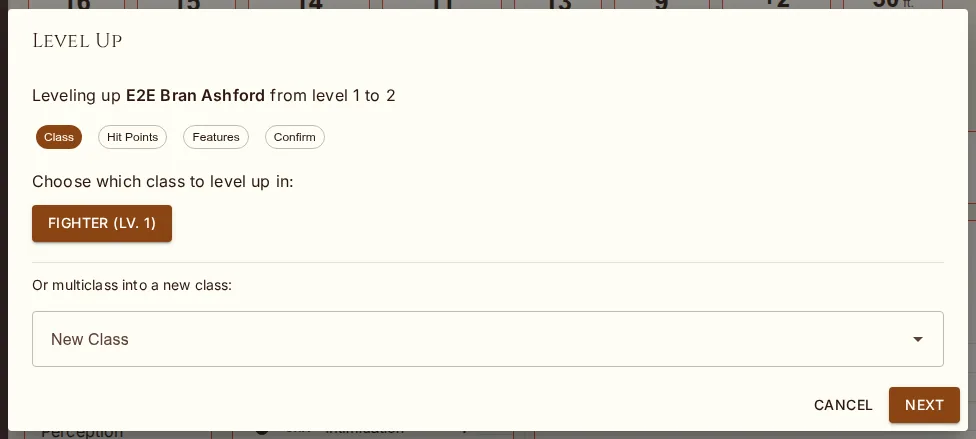
Select which class to level up. Your existing classes are shown with their current levels. If multiclassing is allowed (by house rules and you meet the ability score prerequisites), you can also select a new class to multiclass into. Each class shows its hit die and any prerequisites required.
Step 2: Hit Points
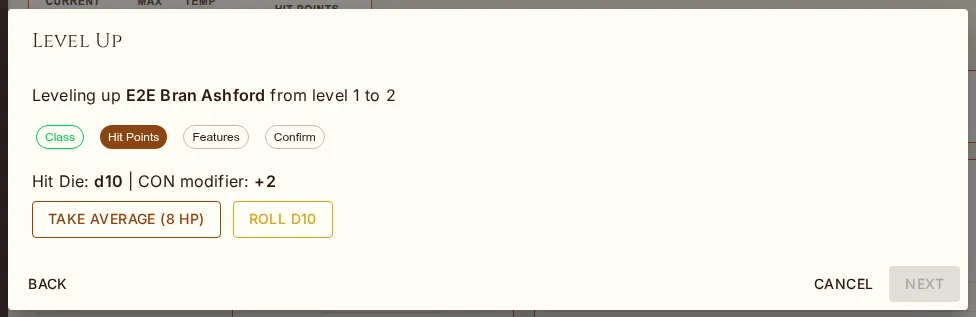
Choose how to determine HP gained:
Take Average — gain the average value of your hit die + CON modifier (minimum 1 HP)
Roll — roll your hit die and add CON modifier (minimum 1 HP, result shown immediately)
Step 3: Features & Choices
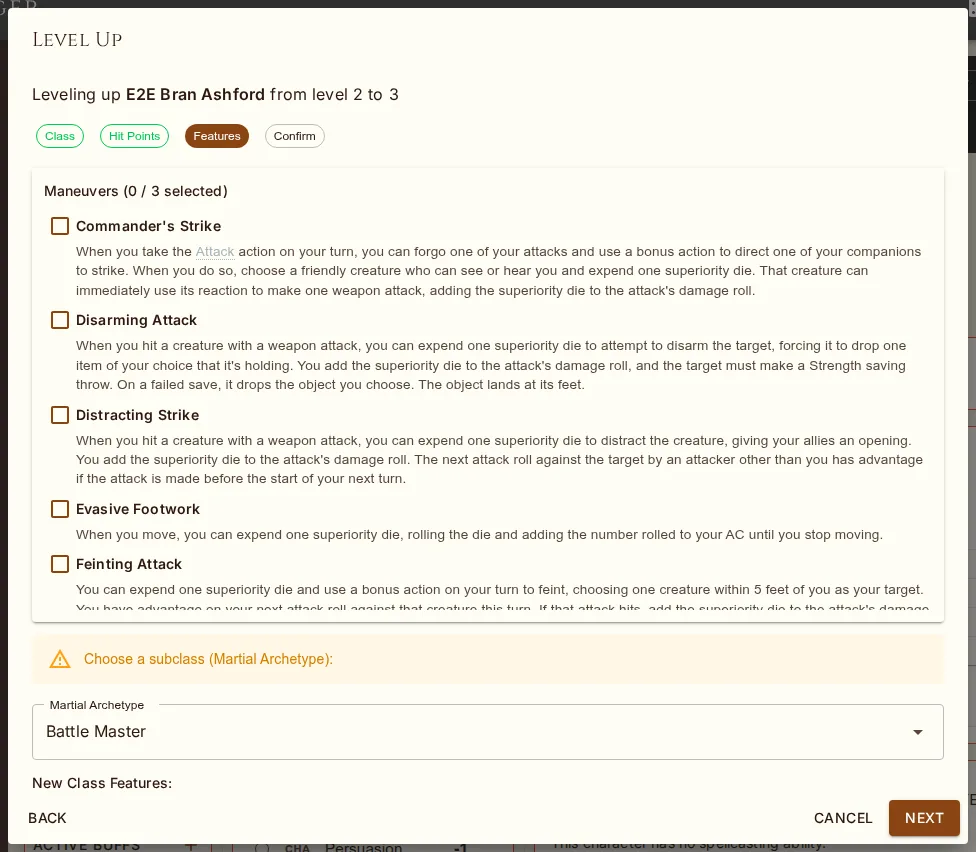
Depending on your new level, you may need to choose:
Subclass — if this level grants subclass selection (typically level 3)
ASI (Ability Score Improvement) — at ASI levels (4, 8, 12, 16, 19), allocate 2 ability score points
Feat — if house rules allow feats, select one. Prerequisites are shown beside the name ("prerequisite not met: …") but never enforced. A feat with choices (Resilient, Magic Initiate, Fey Touched, Skilled…) opens its configuration dialog the moment you pick it, so it lands complete; cancelling the dialog cancels the pick. The feat's automatic effects, spells, and resources are applied on confirm. If the feat also needs a decision — Resilient's ability, Magic Initiate's spells, a picker feat's invocation or fighting style — you'll see a reminder to open the Features tab afterwards: remove and re-grant the feat there to be asked the questions.
Optional Features — features like Pact Boon (Warlock), Fighting Style (Fighter/Paladin/Ranger), or Metamagic (Sorcerer) present their choices with full descriptions
Eldritch Invocations — Warlocks get an invocation picker at levels 2, 5, 7, 9, 12, 15, 18. Multi-select checkboxes with prerequisite filtering (level, pact requirements)
Multiclass Skills — when the class you're multiclassing into offers a skill choice in its multiclass proficiencies, pick from that list
Subclass Proficiencies — a subclass's bonus proficiencies (Life Domain's heavy armor, Hexblade's medium armor, shields and martial weapons, Rune Knight's smith's tools and Giant, Assassin's kits…) are carried by the feature itself and show on the sheet, in weapon proficiency checks and in the API
Subclass Option — a Circle of the Land druid picks a terrain, a Divine Soul an affinity, from a dropdown under the subclass; only that group's spells apply
Learn-more features — Additional Maneuvers (Battle Master 7, 10, 15), the later Metamagic picks (10, 17) open pickers; the Artificer's infusions are read from the class table, four at level 2 and two more at 6, 10, 14 and 18, though their rules text has no list of its own
Feature picks — a subclass feature whose text says "choose" gets a chip row: Arcane Archer Lore (a skill and a cantrip), a Bladesinger's one-handed melee weapon, a Nature cleric's druid cantrip and skill. Skills and weapons land on the feature itself; a cantrip becomes a spell outside the class's cap. Shadow Arts' Minor Illusion arrives already answered. The Artificer specialists' tool proficiencies (alchemist's supplies, woodcarver's tools) and Bladesinging's light armor are carried by the feature like the other subclass proficiencies
Optional class features (Tasha's) — offered only when the Allow optional class features house rule is on
New class features granted at this level are listed for reference. If a feature grants Expertise, an alert reminds you to set it on the character sheet after leveling.
Step 4: Spells (Casters Only)
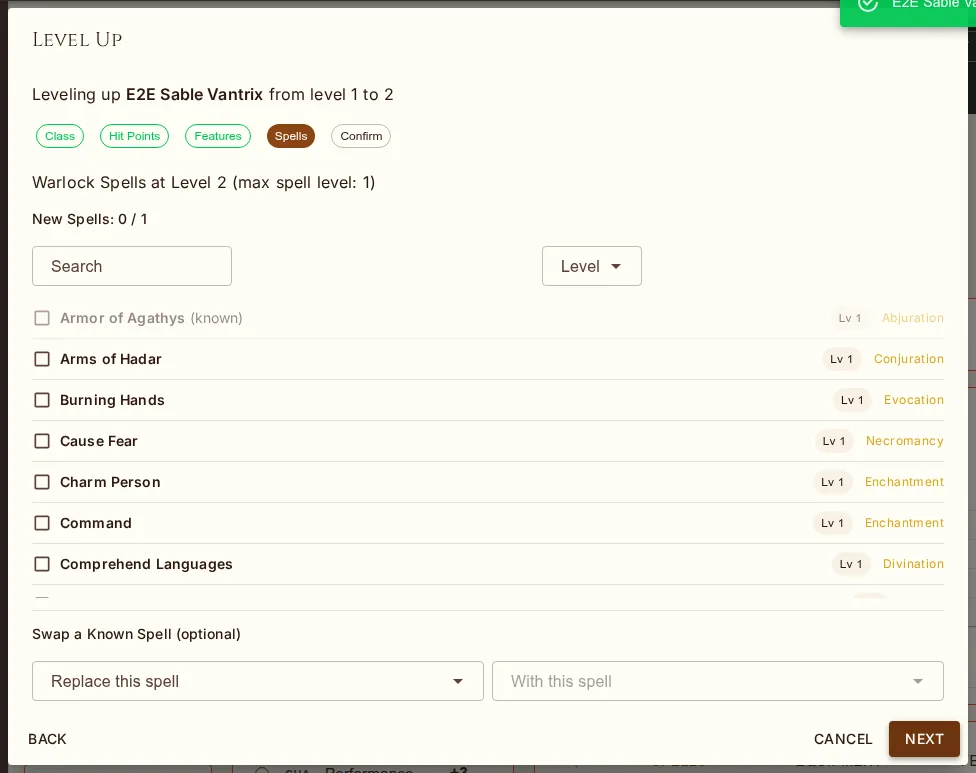
For classes with spells known (Warlock, Bard, Ranger, Sorcerer), a Spells step appears where you:
Learn new cantrips — if your cantrip progression grants more at this level
Learn new spells — pick from the class spell list (including subclass expanded spells), filtered by your max spell level
Swap a spell (optional) — replace one known spell with another from the class list
Search and filter spells by name and level. Selected spells are shown in the confirm summary and added to your character on confirmation.
Racial Spells
Some races hand out spells at a particular character level — a Tiefling's Hellish Rebuke at 3rd and Darkness at 5th, a Drow half-elf's Faerie Fire at 3rd. When the level you're reaching unlocks one, the Confirm step lists it under Racial Spells, with uses per day where the race limits them. On confirm the spell is added as always-prepared, and a "Spell (racial)" resource appears in the Resources sidebar to track the daily use. The check is "everything owed up to this level", so a character created before racial spells were tracked still collects on the next level-up.
Confirm Step
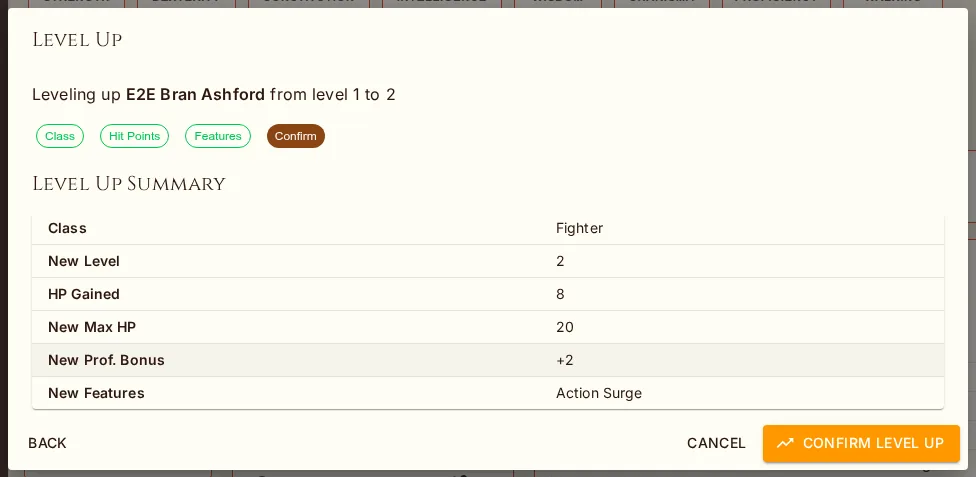
The final Confirm step always shows the Confirm Level Up button. If anything is missing (unspent ASI points, an unselected feat, an unpicked Fighting Style, etc.), the button stays disabled with a tooltip listing exactly what's blocking. The Confirm step also shows an inline alert with each blocker as a clickable jump-to-step link, so you can hop back, fix it, and return without walking through every step again. Once everything is satisfied, click Confirm — a version snapshot is created automatically.
Feat & ASI House Rules
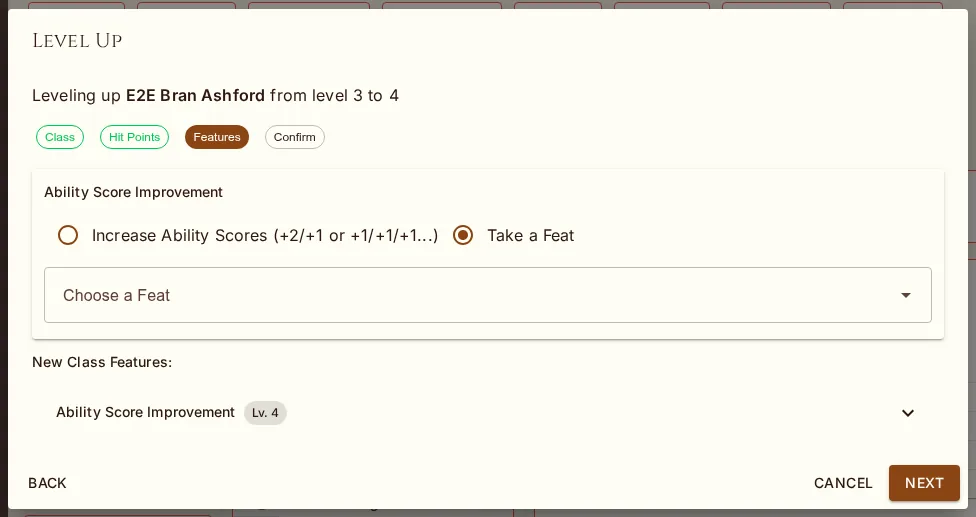
| Rule | Behavior |
|---|---|
| Feat or ASI (RAW) | Choose one: take a feat OR increase ability scores by 2 |
| Feat and ASI | Get both: increase ability scores by 2 AND take a feat |
| No Feats | Always take ASI, feats are not available |
These read the character's effective rules: the campaign's when in one, otherwise the character's own snapshot. An ASI that raises the Constitution modifier adds a hit point for every level already taken as well as this one; the summary says so. Constitution from a feat or item (Durable, an Amulet of Health) reaches every level automatically without touching the stored roll.