Campaigns
Campaign List
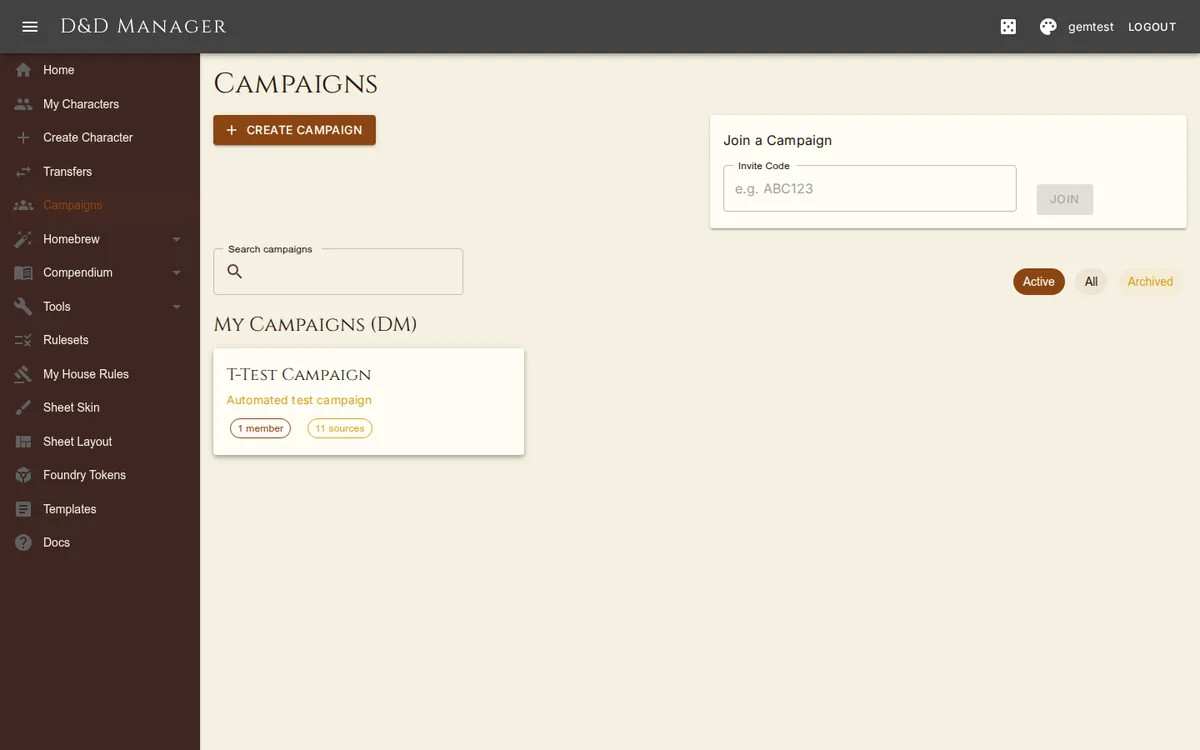
The campaign list page shows your campaigns organized into DM campaigns and Player campaigns. Use the search bar at the top to filter campaigns by name or description. Status filter chips let you view:
Active (default) — shows only active campaigns
All — shows both active and archived campaigns
Archived — shows only archived campaigns
Archived campaigns display an "Archived" chip on their card.
Creating a Campaign
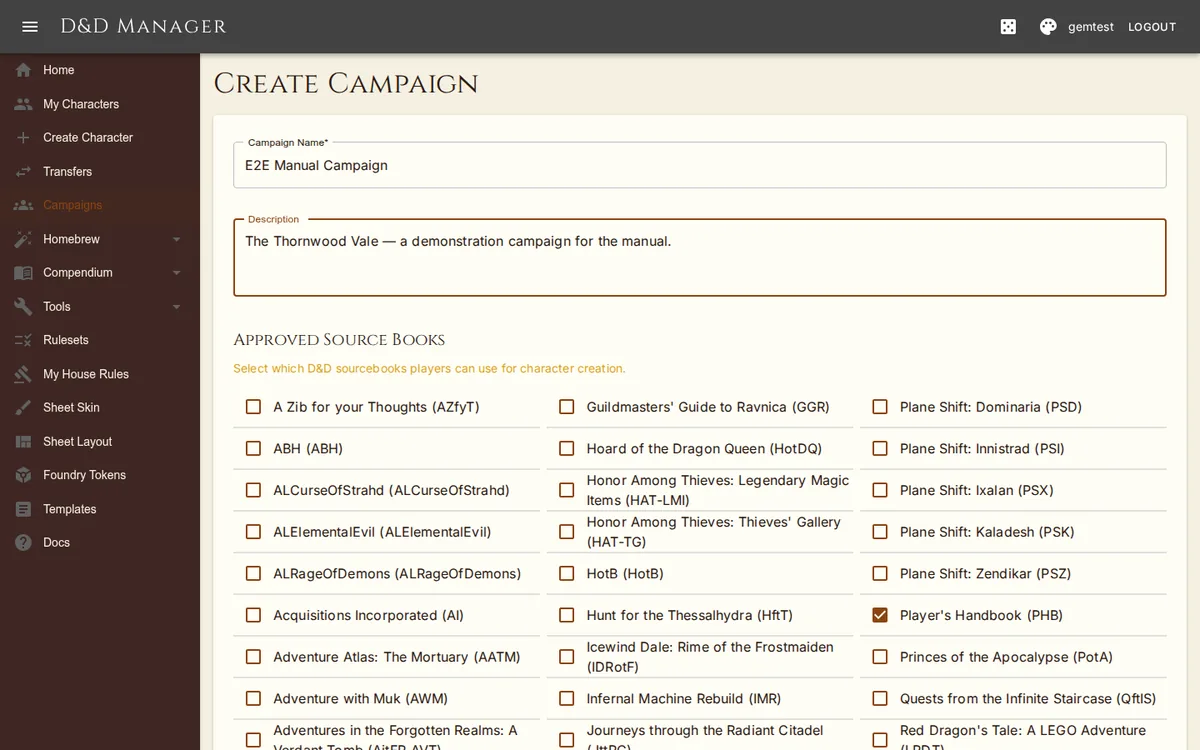
Navigate to Campaigns and click Create Campaign. Enter a name and an optional description. The source-book list arrives pre-checked with the curated default set (see Source Books) — adjust it now or later in the Rulesets workbench. The creator becomes the DM, the campaign's house rules are snapshotted from your account defaults at that moment, and an invite code and link are generated automatically.
Inviting Players
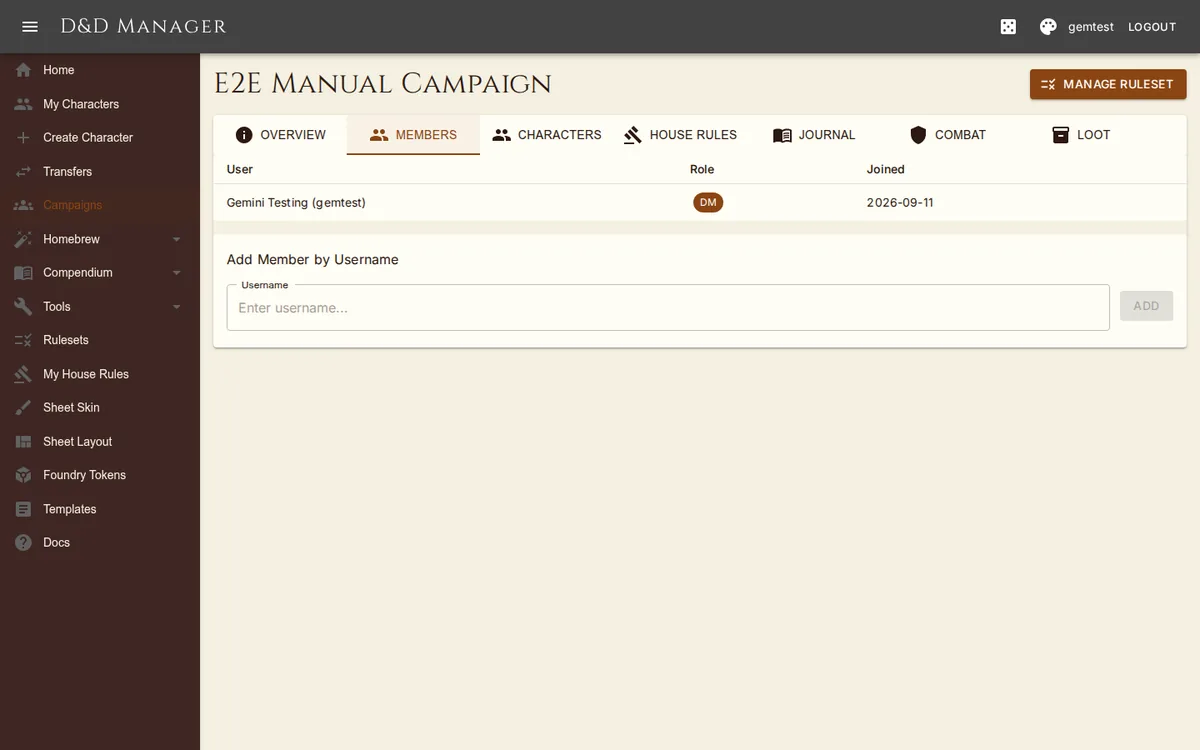
Two methods to invite players:
Invite Code — Share the 6-character code (e.g., "AB3XY7"). Players enter it on the Campaigns page to join.
Invite Link — Share the full URL. Clicking it automatically joins the player to the campaign.
Both have copy buttons on the campaign's Overview tab. Players can also view the approved source books before joining by visiting the public source list link (no login required).
Campaign Detail Page
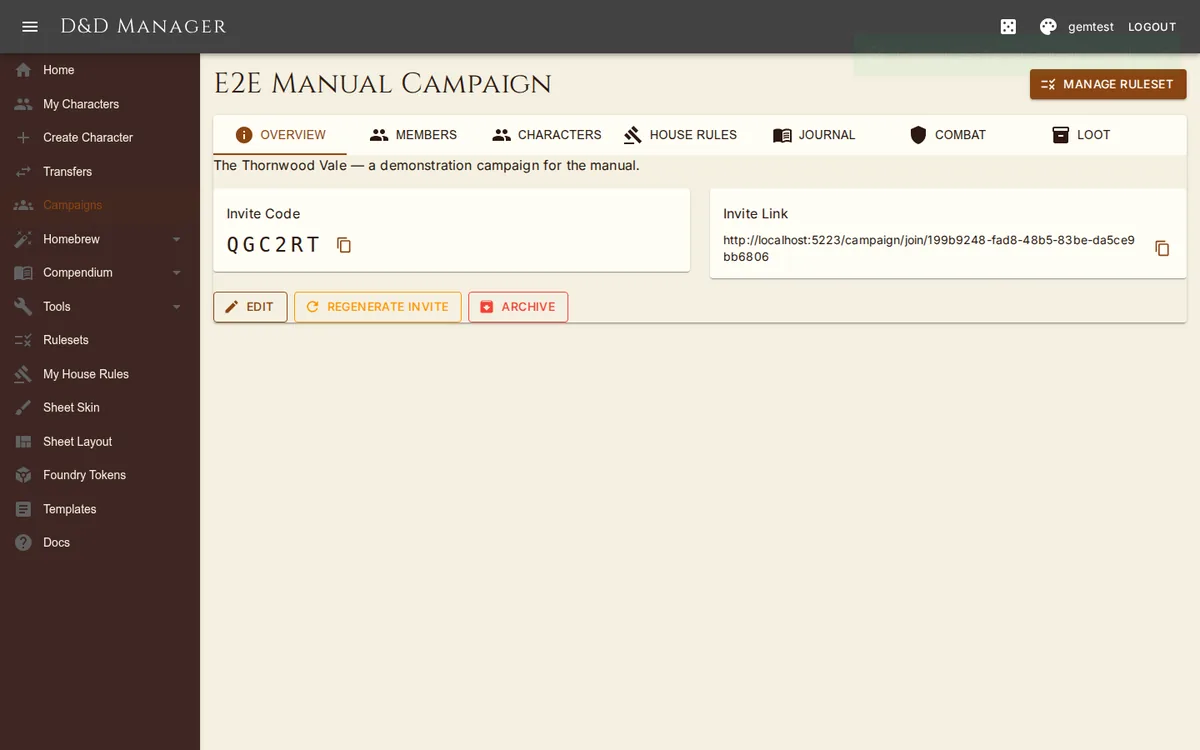
The campaign detail page has seven tabs. As DM you also get a Manage Ruleset button in the page header, which opens the Rulesets workbench with this campaign selected.
| Tab | Players | DM (additional) |
|---|---|---|
| Overview | View name, description, invite code/link | Edit name/description, regenerate invite, archive/reactivate |
| Members | View member list (name, role, join date) | Remove players, add members by username |
| Characters | View own characters in campaign | View and edit any character; Grant Feature button and a "Give something" action on each card |
| House Rules | View all rules (read-only) | Configure every rule (auto-saves as you change it) |
| Journal | Read session journal entries | Create/edit entries with markdown, DM-only visibility, session numbers |
| Combat | View active encounters | Create encounters, manage combatants, run initiative; link to the Party Dashboard |
| Loot | View shared party inventory and treasury | Add items, manage currency, distribute loot and coin to characters |
The Journal and Loot tabs host their pages inline, so the tab bar stays put while you work;
/campaigns/{id}/journal and /campaigns/{id}/inventory still work as deep links.
Grant Feature (DM)
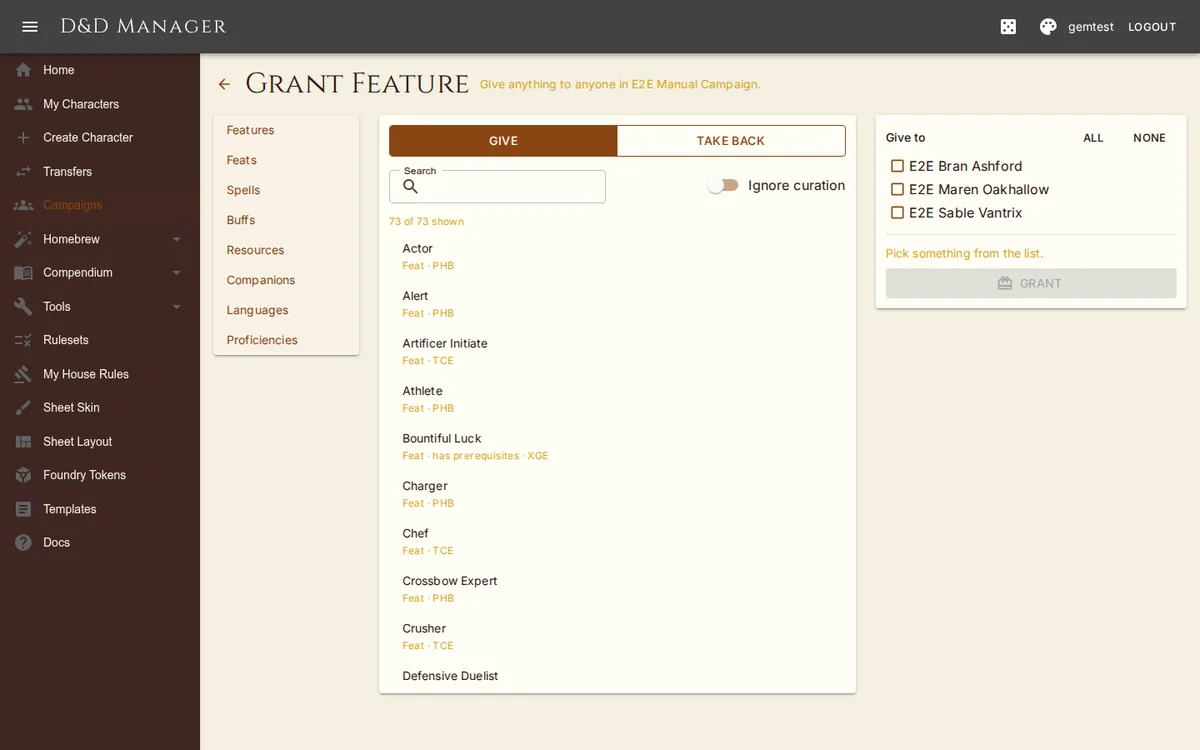
Grant Feature on the Characters tab is one door for handing anything to anyone. Pick a kind — Feature, Feat, Spell, Buff, Resource, Companion, Language, or Proficiency — search the list, tick one, several, or all characters, and Give. The "Give something" action on a character card opens the same page with that character already ticked. Game-data kinds follow the campaign's ruleset; flip Ignore curation to see everything. Switch to Take back to see everything the ticked characters hold and remove it by name.
A feat arrives with its mechanical effects, spells, and resources exactly as it would at level-up. When you grant a feat that asks questions (an ability pick, an invocation, a spell) to exactly one character, its configuration dialog opens first; granting it to several characters applies the choice-free parts and reports "has choices to set" for each. Every grant and take-back writes a snapshot, so it can be rolled back from the character's History tab. The same catalogue is available on a character sheet in edit mode (see Character Sheet).
Party Dashboard (DM)
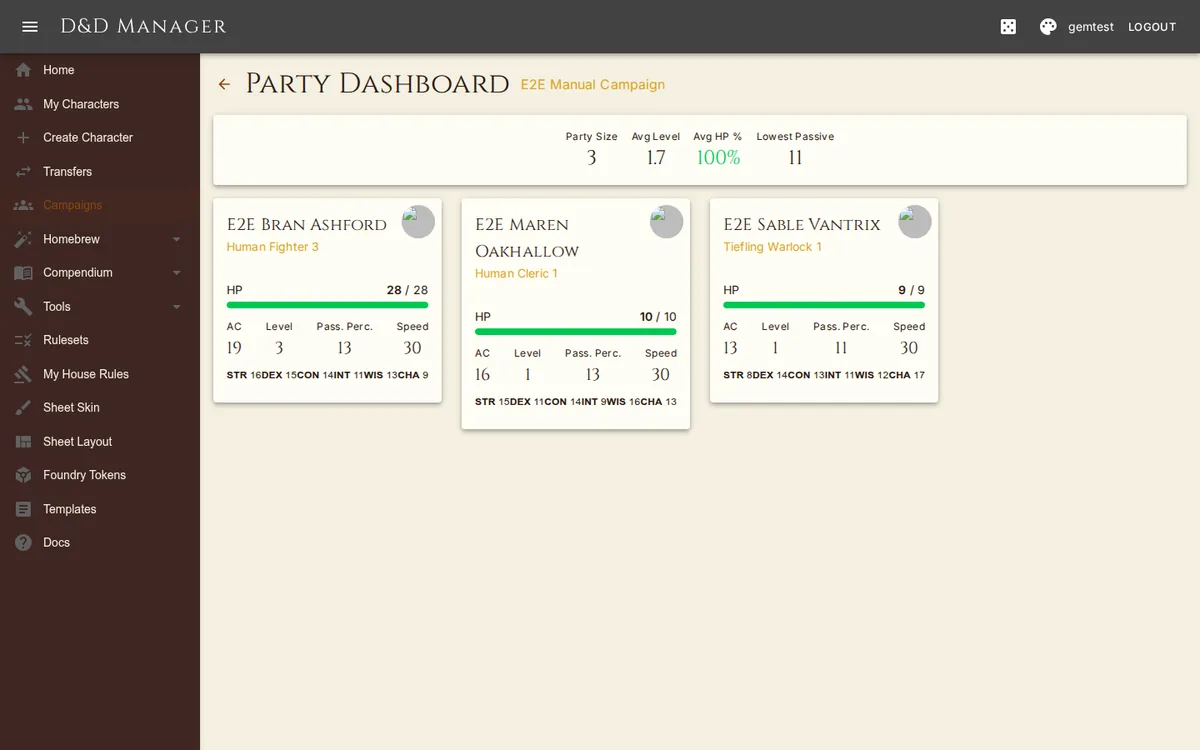
DMs have a dedicated party overview page (linked from the Combat tab) showing all player characters at a glance: HP bars, AC, level, passive perception, speed, ability scores, conditions, exhaustion, and death saves. A summary bar shows party size, average level, average HP%, and the lowest passive perception (useful for determining what hidden creatures are spotted). Use this page to monitor the party during a session without opening each character sheet individually.
Party Treasury & Coin
The Loot tab holds the party's shared items and a treasury in all five coin types. Distribute hands treasury coin to one character, or splits every denomination evenly across the party — whatever doesn't divide cleanly stays in the treasury. Items can be distributed to a single character from their row.
Copying & Moving Characters
From the character sheet's Settings menu, you can Copy or Move a character to a different campaign (or make it campaignless). A conflict report shows any game data used by the character that isn't approved in the target campaign. You can proceed despite conflicts — the character retains its current data.
Remove from Campaign (in the Settings menu, only visible when the character is in a campaign) clears the campaign association without otherwise touching the character. The campaign's house rules stop applying and the character's personal house rules take over — the confirmation dialog calls this out.
Deep Link: Create Character in Campaign
/campaigns/{id}/characters/create works as a deep link — the character creation wizard
opens with the campaign pre-selected. Non-members of the campaign get a 404 instead. A DM creating a
character in their own campaign can switch on Preview as player to see exactly the
lists a player would get — DM-only content hidden, DM pins into disabled books gone.